

TL;DR
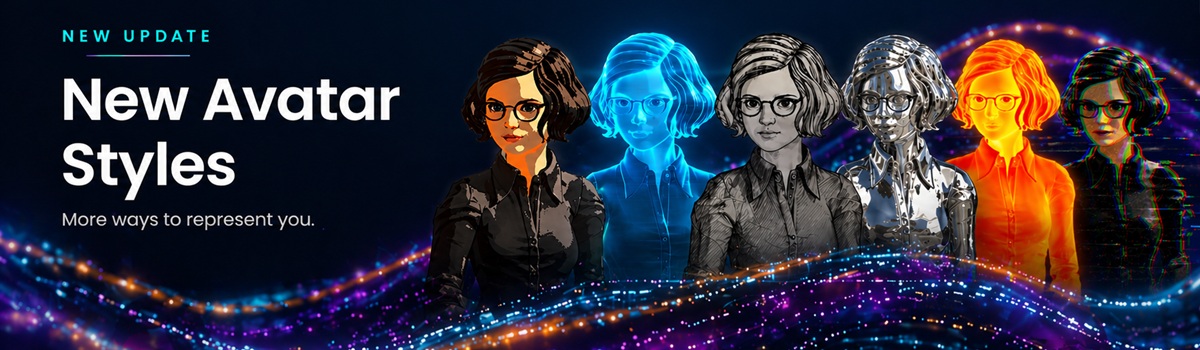
Interactive Avatar now ships with 12 brand-new avatar styles — Cartoon, Hologram, Sketch, Neon, Chrome, Glass, Wireframe, Glitch, Comic, Thermal, Fire, and Pixar. Each is a highly complex, fully modified avatar treatment that gives the same underlying avatar a completely fresh look. Pick a style, grab the embed code in the normal way, and put them to use however you like.
A whole new wardrobe for your avatars
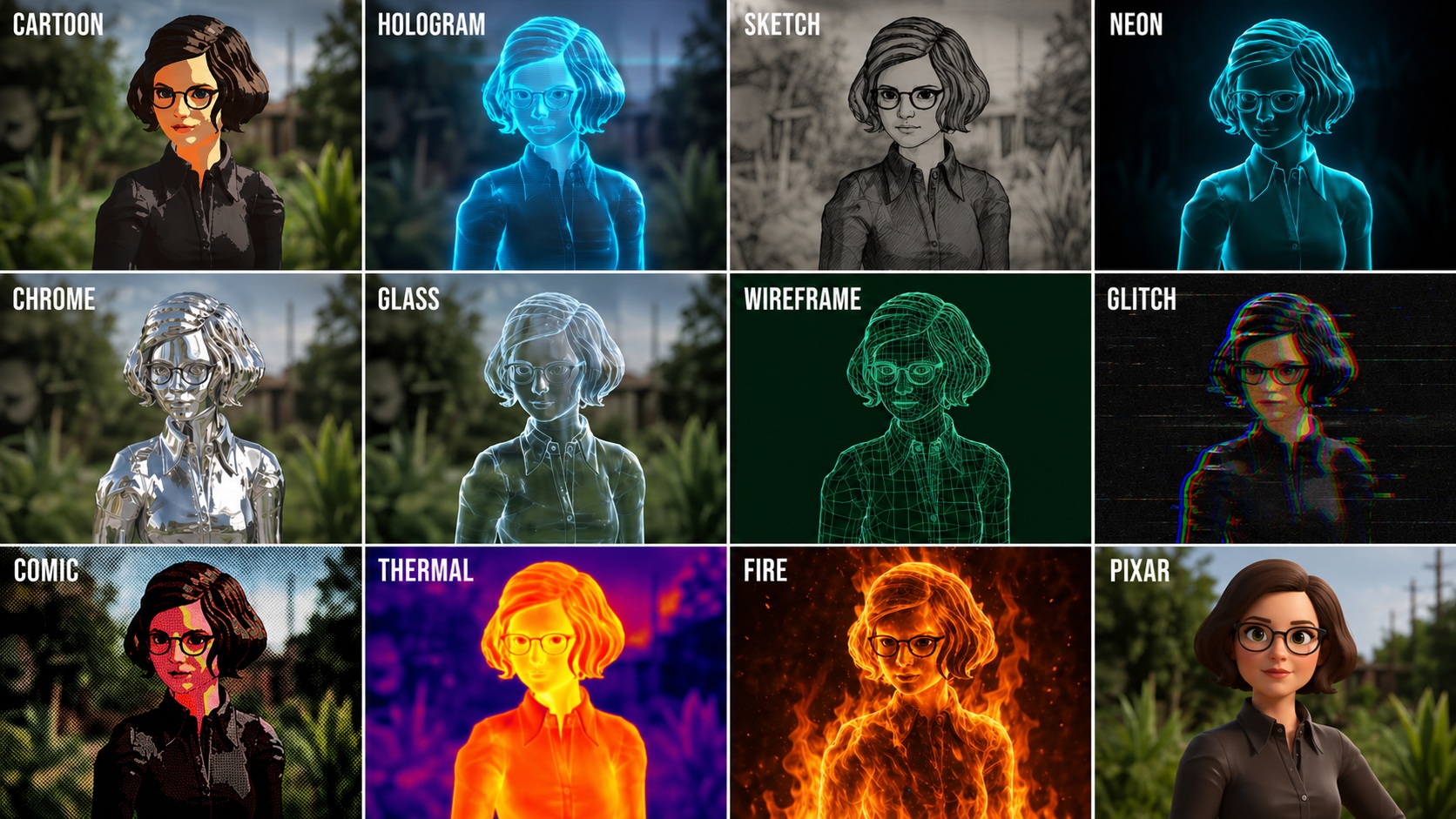
Full grid showing all 12 new avatar styles side by side.
We've spent some considerable time building these out so they're not simple filters or colour overlays. Each one is a ground-up modification of how your avatar is rendered — complex, deliberate, and designed to hold up at full resolution while your avatar talks, blinks, and reacts in real time.
The result is twelve distinct looks that feel like twelve different characters, all driven by the same underlying avatar:
- Cartoon — bold outlines, flat fills, animation-house energy.
- Hologram — translucent blue light, perfect for sci-fi and futuristic UX.
- Sketch — hand-drawn pencil shading in soft monochrome.
- Neon — glowing edges on a deep black backdrop.
- Chrome — fully reflective polished metal.
- Glass — clear, refractive, almost ghostly.
- Wireframe — pure 3D mesh in vivid green.
- Glitch — corrupted-signal RGB tearing.
- Comic — halftone dots and inked panels.
- Thermal — heat-map false-colour rendering.
- Fire — sculpted out of live flame.
- Pixar — warm, cinematic 3D animation feel.
Meet the styles
Below is a closer look at each new style, what it's good for, and what the avatar actually looks like once it's applied.
Cartoon
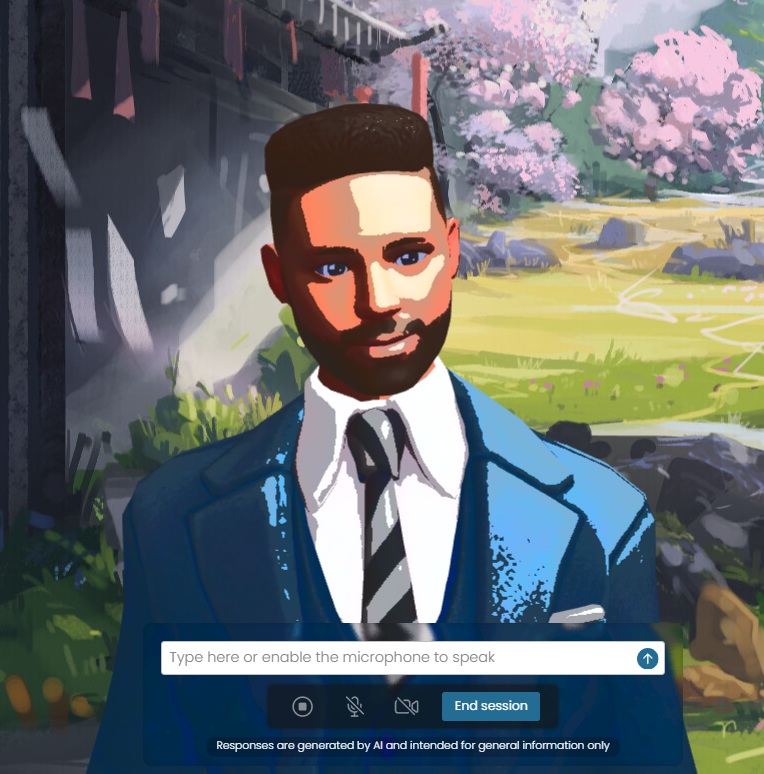
Bold black outlines, flat colour blocks, and exaggerated highlights give the Cartoon style a Saturday-morning animation vibe. Great for kids' education products, light-hearted consumer apps, or anywhere you want to soften the tone and feel more approachable.
Hologram
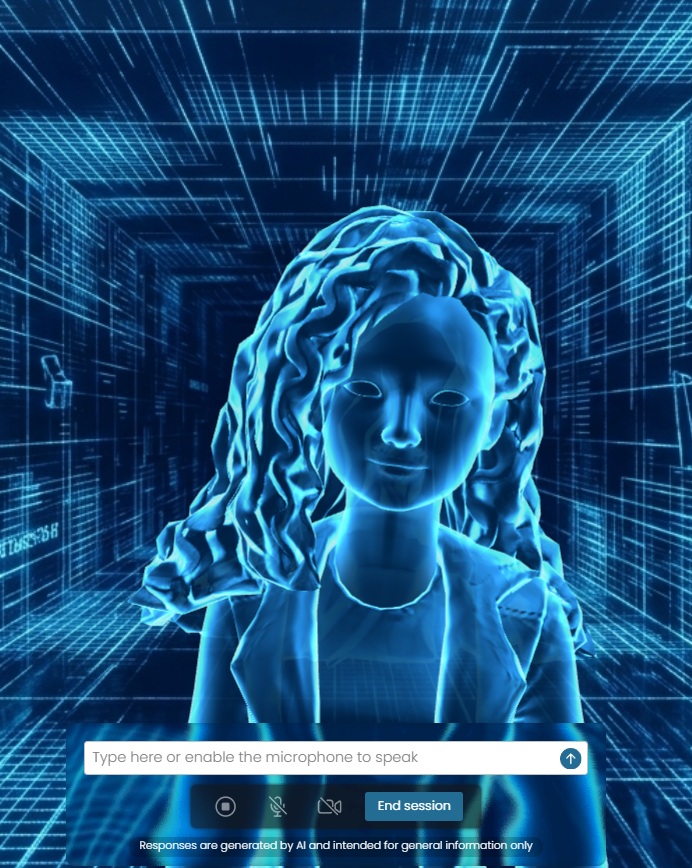
A translucent cyan-blue figure built from layered light. Hologram is purpose-made for sci-fi, futuristic SaaS, on-screen "AI assistant" presentations, and anything you want to feel like it's being projected into the room.
Sketch
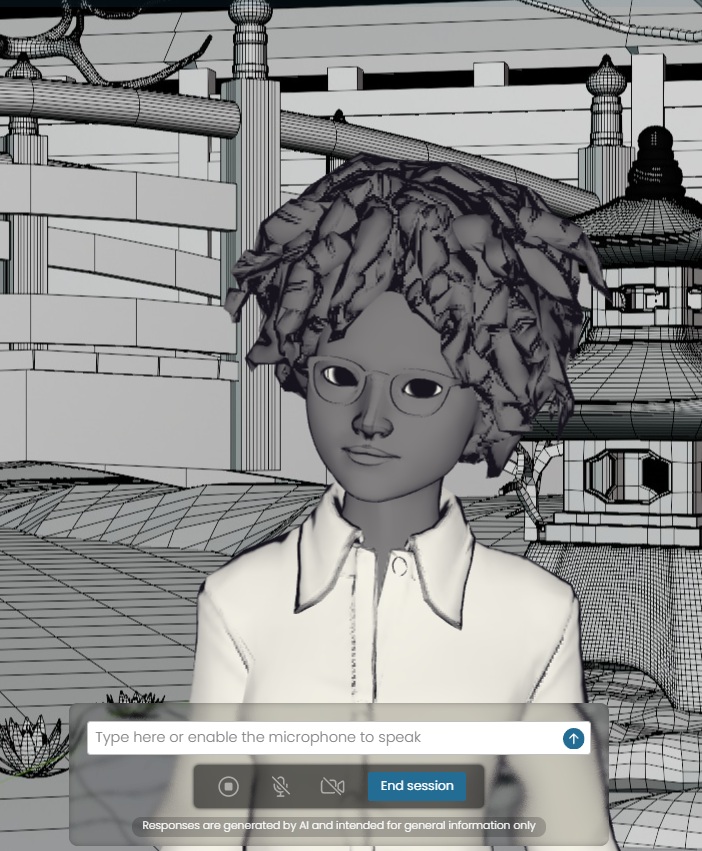
A soft, hand-drawn pencil rendering in monochrome. Sketch suits editorial use, design portfolios, storyboard previews, and any product that wants to feel crafted rather than rendered.
Neon
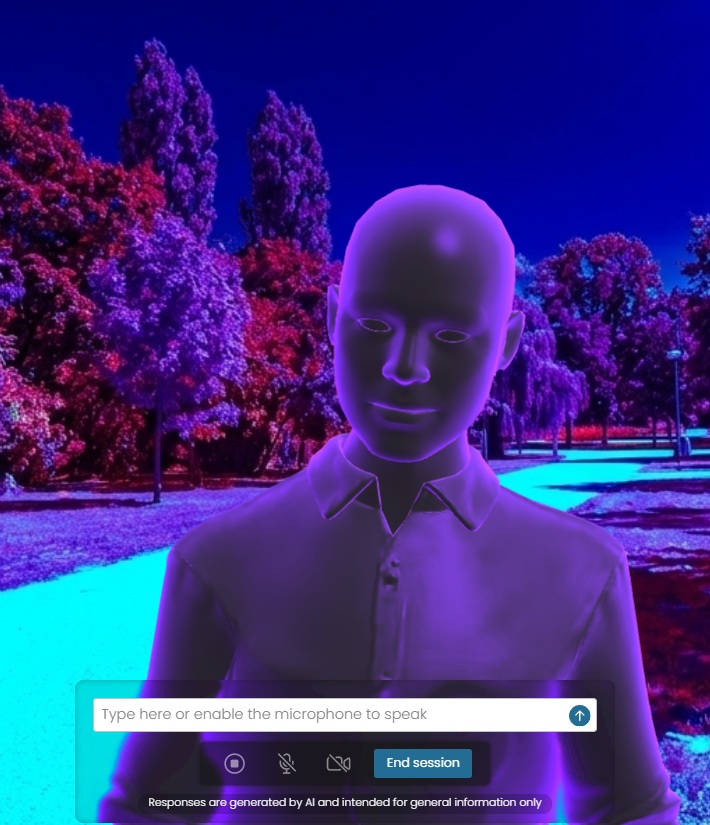
Glowing cyan edge-light on a pitch-black background. Neon reads beautifully on dark UIs and works particularly well for late-night brands, music products, gaming overlays, and anything cyberpunk-adjacent.
Chrome
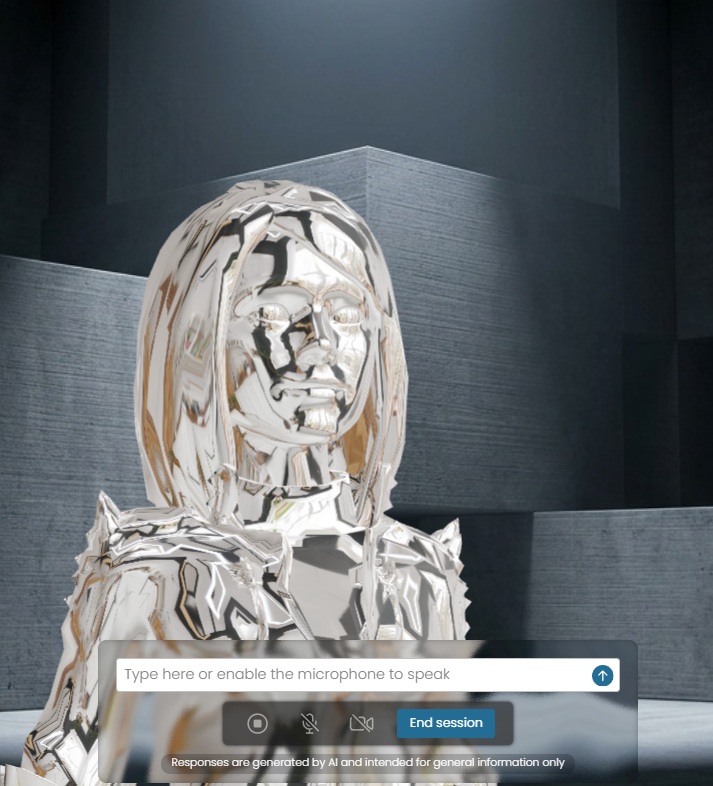
A fully reflective, mirror-polished metal avatar that picks up its surroundings. Chrome is dramatic, fashion-forward, and great for product launches, luxury branding, and high-impact hero sections.
Glass
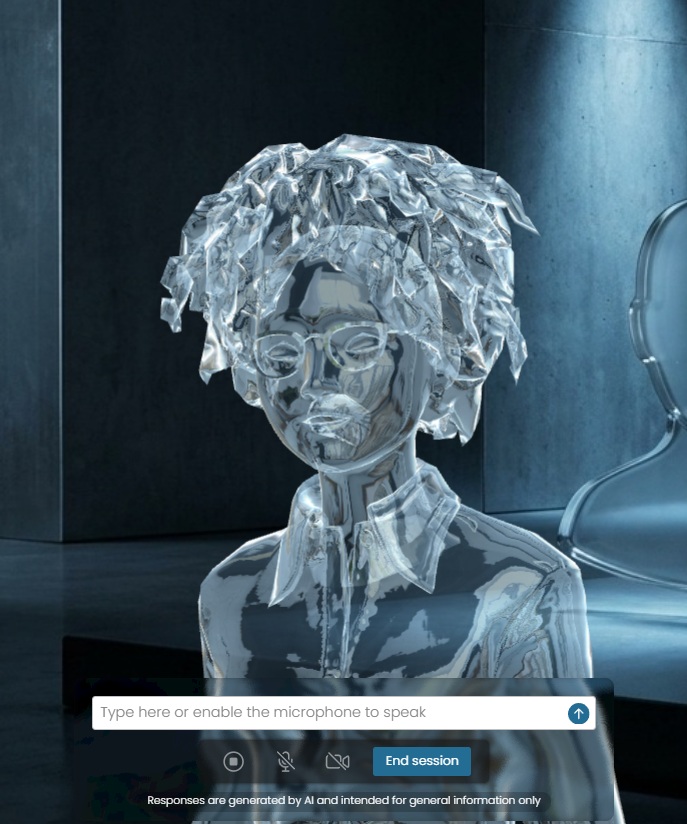
A clear, refractive figure that bends light around its features. Glass works as a subtle, almost ghostly presence — ideal for elegant, minimal interfaces where you want the avatar to feel there without dominating the page.
Wireframe
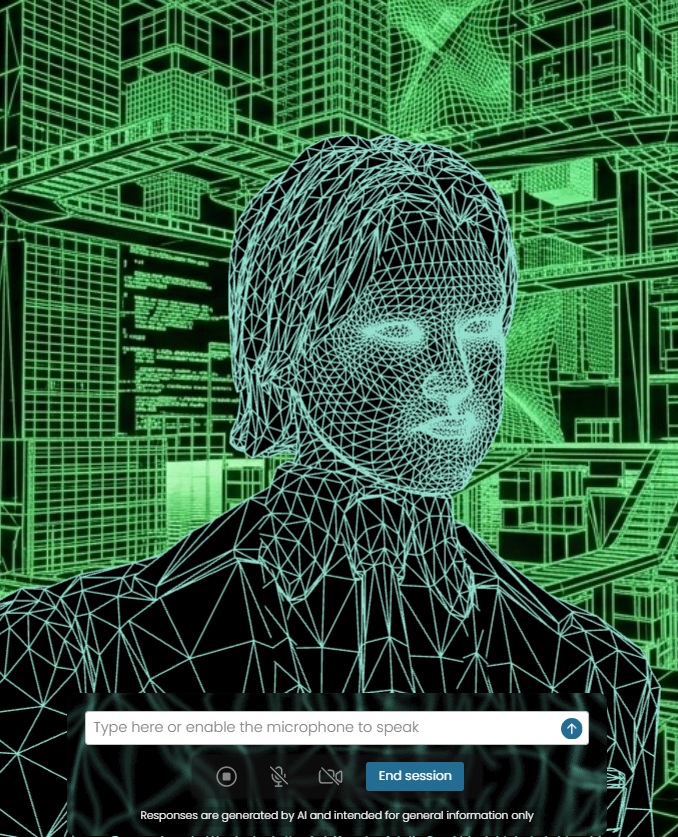
A pure 3D mesh rendering in vivid green on black. Wireframe is unapologetically technical — perfect for engineering products, dev tools, AI infrastructure brands, and anyone who wants to lean into the "behind the scenes" aesthetic.
Glitch
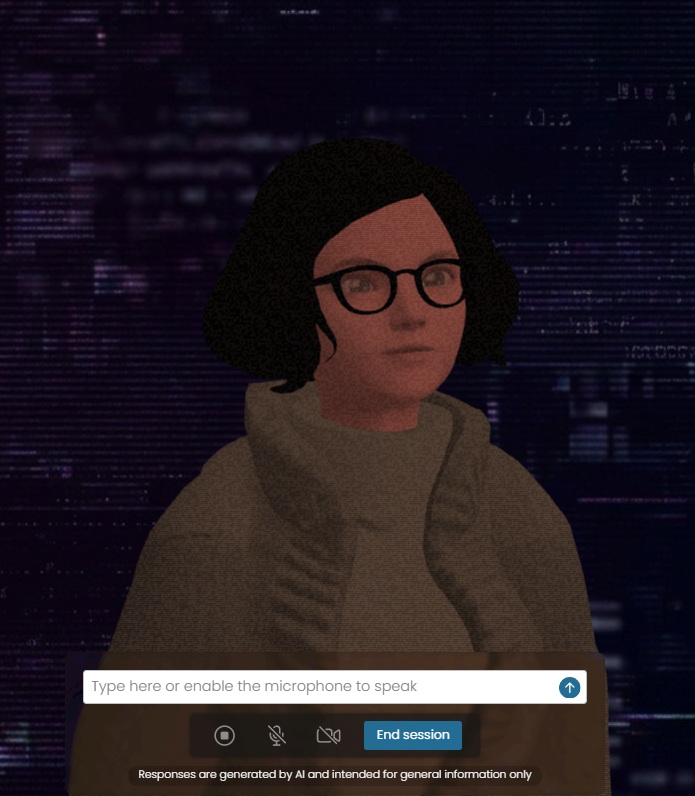
RGB channel tearing, scanlines, and corrupted-signal artefacts. Glitch is a great fit for cybersecurity, hacking-adjacent narratives, music videos, and edgier creative work.
Comic
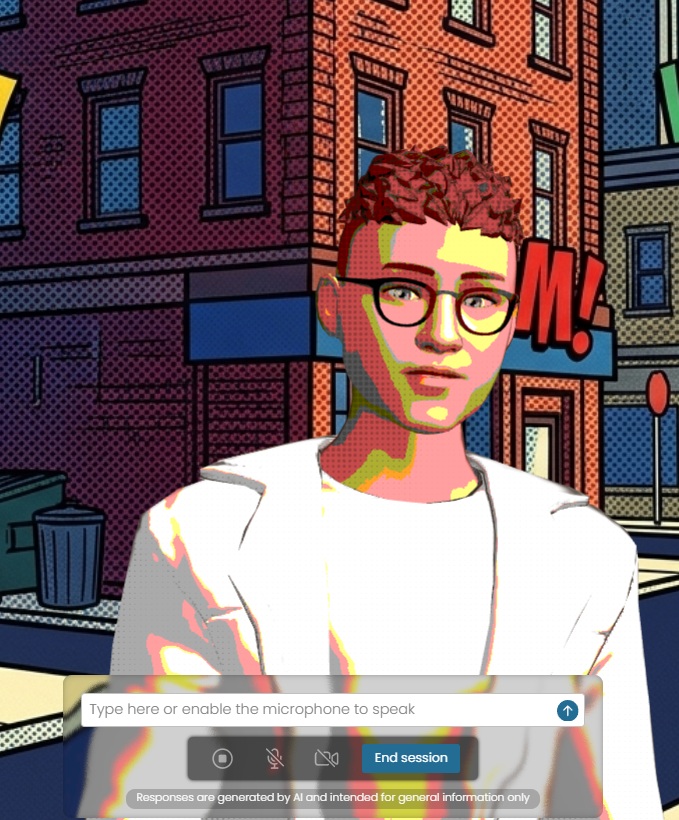
Halftone dots, heavy inked outlines, and bold pop-art colour. Comic gives your avatar the look of a panel ripped straight out of a graphic novel — playful, energetic, and instantly recognisable.
Thermal
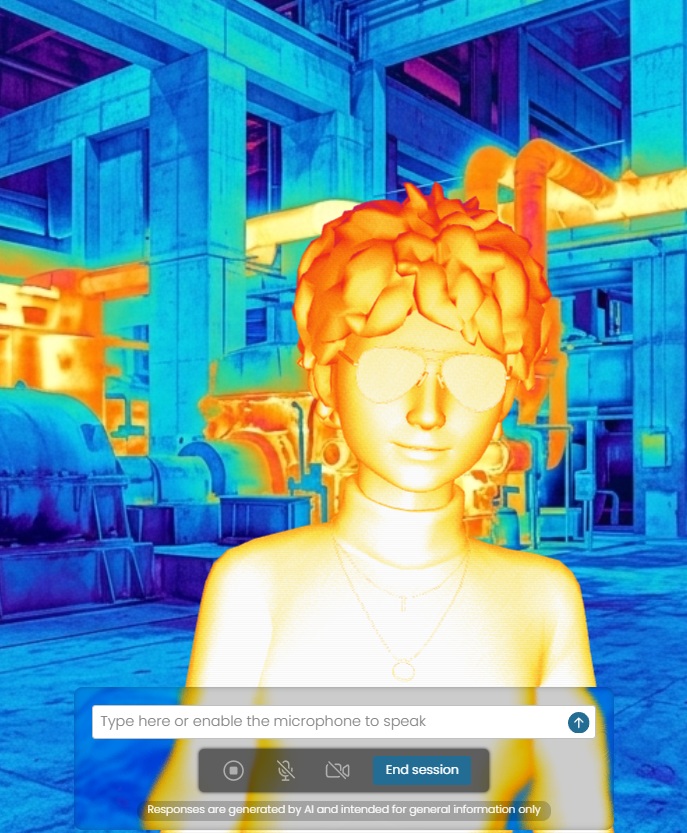
A heat-map false-colour rendering that maps the avatar in oranges, yellows, and purples. Thermal is striking for security, defence, climate, and scientific products — anywhere "sensor data" is part of the story.
Fire
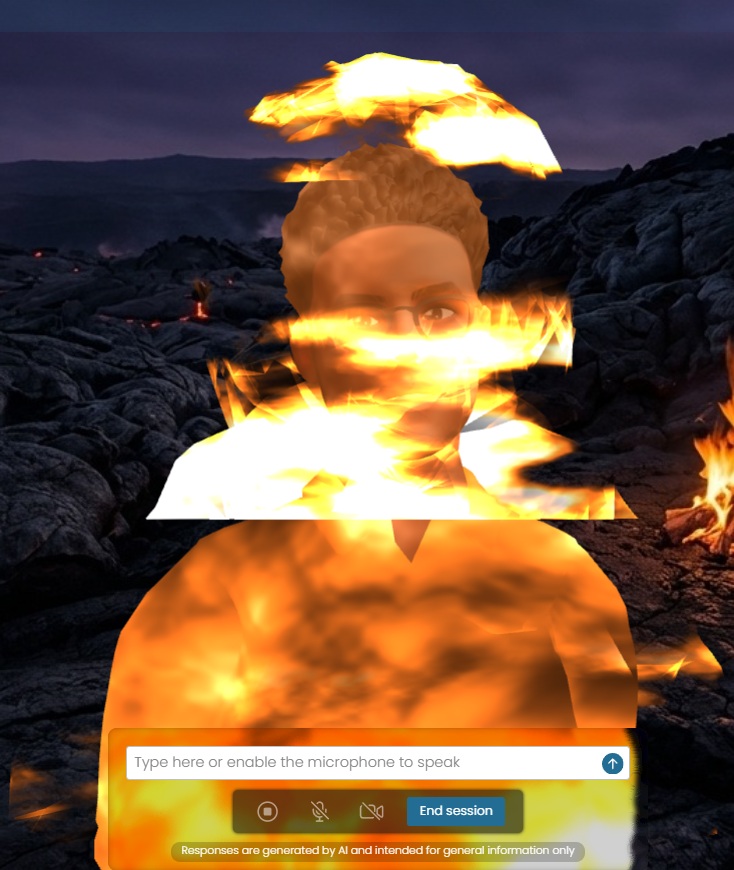
The avatar appears sculpted from live flame, with embers and heat haze rolling off the silhouette. Fire is a real showstopper — a strong fit for entertainment, sport, and anything that wants pure visual impact.
Pixar
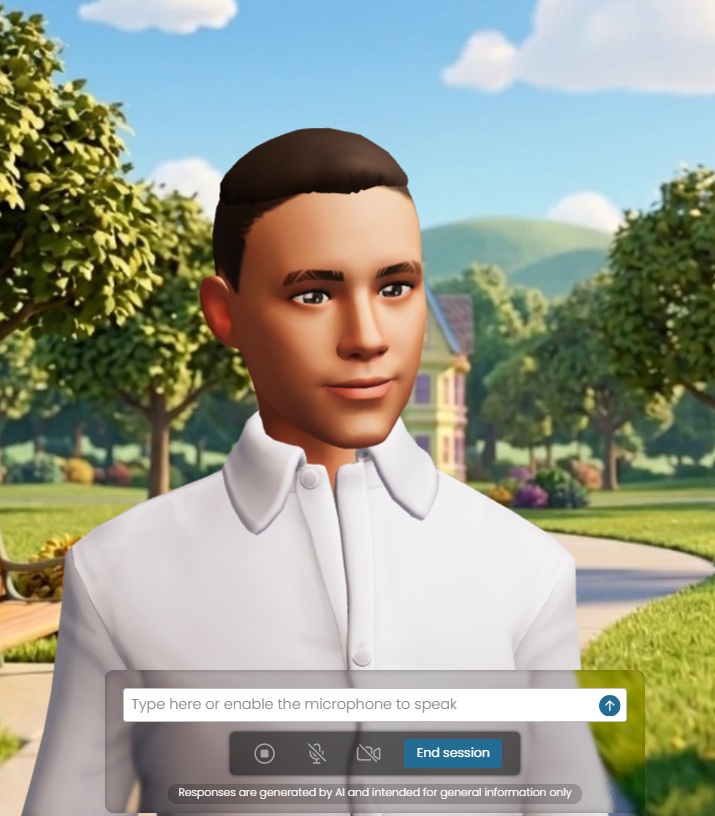
A warm, cinematic 3D animation look with soft shading, big eyes, and friendly proportions. Pixar is our most family-friendly style and works beautifully for customer support, onboarding flows, and consumer products.
Where to find them
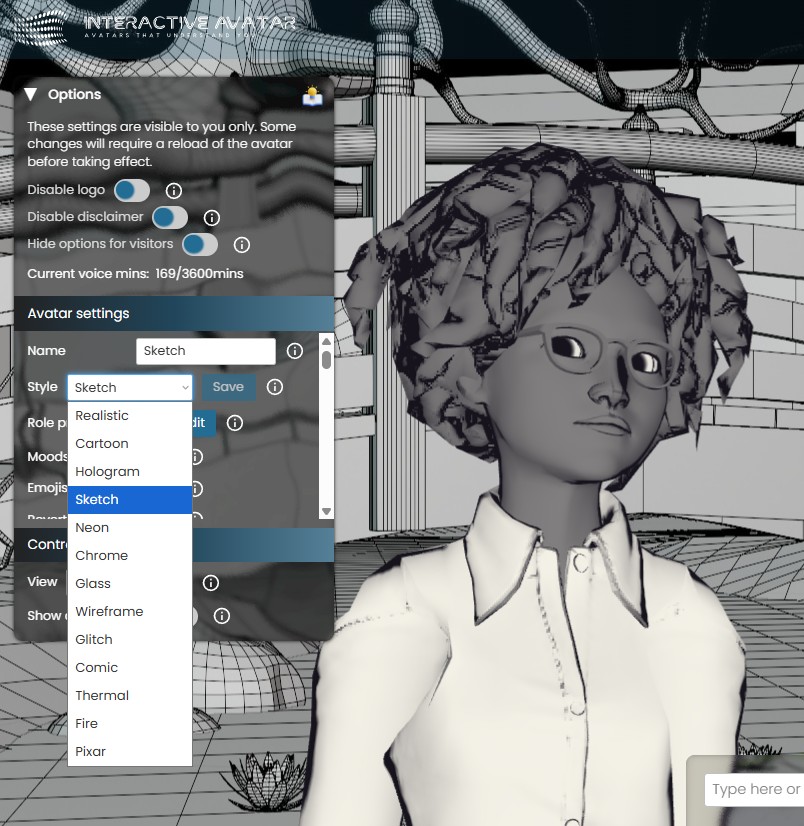
All twelve styles live in your existing avatar settings. Open the Options panel on any avatar, scroll down to Avatar settings, and choose your style from the Style dropdown. The list now includes Realistic alongside all twelve new styles: Cartoon, Hologram, Sketch, Neon, Chrome, Glass, Wireframe, Glitch, Comic, Thermal, Fire, and Pixar.
Hit Save, reload the avatar, and the new style is live.
Embedding works exactly as before
There's nothing new to learn on the integration side. Once you've picked a style and saved it on the avatar:
- Grab the embed code in the normal way from your dashboard.
- Drop it into your site, app, or product wherever you'd embed any other avatar.
- The selected style ships with the avatar — no extra parameters, no extra setup.
Because the style is configured per-avatar, you can run multiple avatars across the same product with different looks — for example a Pixar support avatar on your help centre and a Hologram sales avatar on your pricing page, each with its own embed.
Why this matters
Until now, every Interactive Avatar shared a broadly realistic look. That's perfect for a lot of products — and Realistic isn't going anywhere — but it meant that an avatar embedded into a children's app, a cybersecurity dashboard, and a luxury fashion site all looked roughly the same.
These twelve styles fix that:
- Your avatar can now match your brand instead of fighting it.
- You can run different looks for different audiences from a single account.
- High-impact visuals (Fire, Chrome, Hologram) give you genuinely eye-catching hero moments.
- Specialist looks (Wireframe, Thermal, Glitch) open up use-cases where a realistic avatar felt out of place.
Available now
All 12 styles are live for every Interactive Avatar account today, at no extra cost. To get started:
- Open any avatar's Options panel.
- Pick a new look from the Style dropdown under Avatar settings.
- Hit Save and reload the avatar.
- Grab the embed code in the normal way and drop it wherever you need it.
We will be making further improvements and allowing for specific options to be set per style in the coming months.
Get started today
Try the new styles on your existing avatars, or spin up a new one to test a different look. Questions, feedback, or want to show us what you've built? Email us at support@interactiveavatar.couk.
We can't wait to see which styles end up where — and which ones become your team's new favourites.